How to review identity, privileged access, permission sets, integrations and auditing without turning security into a paperwork exercise
Business Central is a Microsoft cloud ERP, but that does not make security automatic. Microsoft operates the platform and provides identity, access-control and auditing capabilities. Customers still decide who can enter the environment, which permissions they receive and how integrations are allowed to act.
The practical security question is therefore not simply whether Business Central is secure. It is whether the organisation can explain and defend its own access model.
That becomes more important as an ERP grows. New users arrive, people change roles, extensions are installed and integrations multiply. A permission model that was understandable at go-live can become difficult to justify several years later.
Three key takeaways
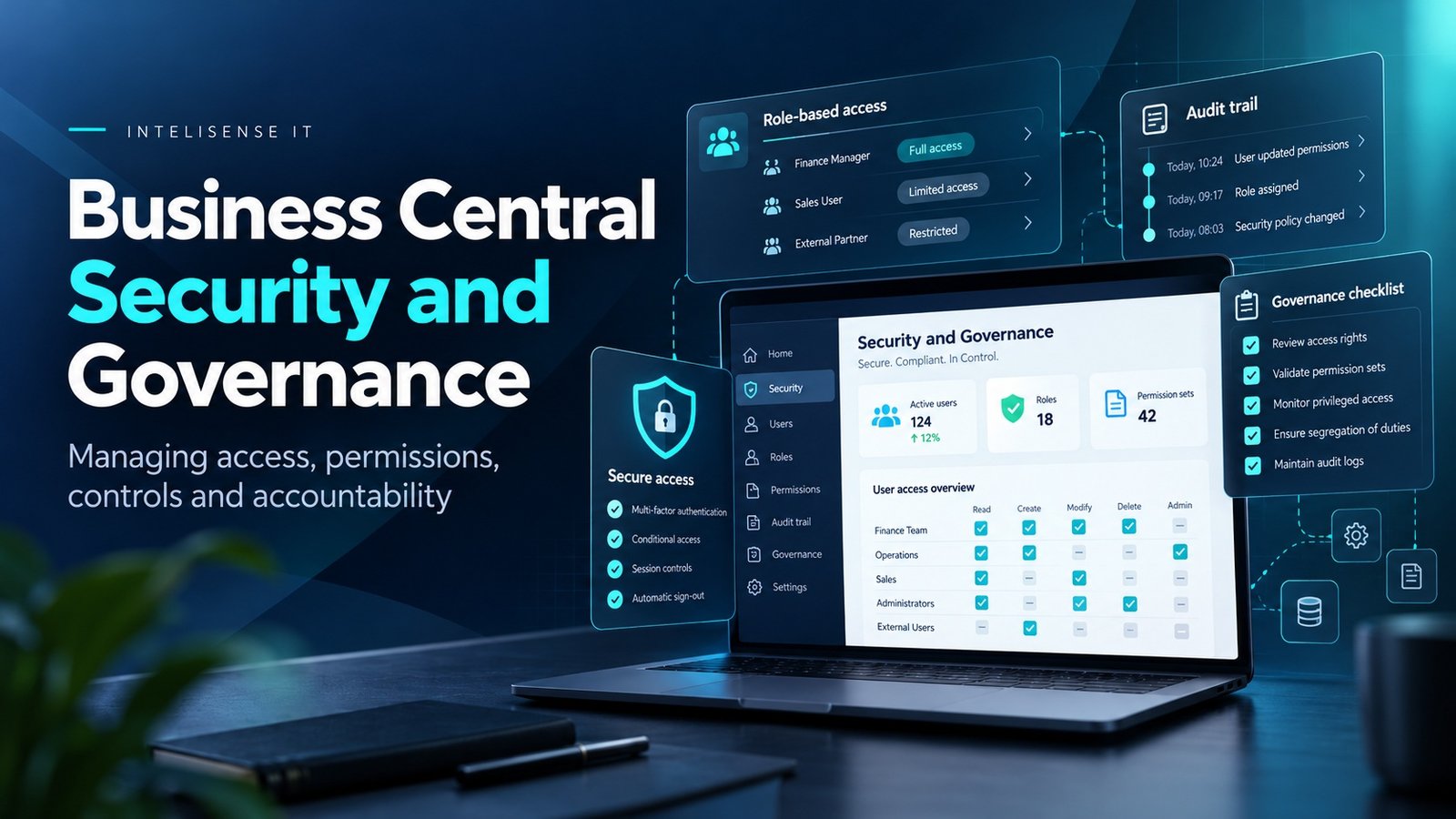
- 1.Business Central security is layered. Entra ID and environment access determine who can enter; permission sets and security groups determine what they can do.
- 2.Privileged access should be exceptional and explainable. Broad rights such as SUPER are operationally necessary in some cases, but they should not become the default way to solve access problems.
- 3.Integrations need the same least-privilege discipline as human users. Service identities, API permissions and ownership should be reviewed as part of the security model.
Why Business Central security is a shared responsibility
Business Central Online gives organisations a managed Microsoft cloud platform, but the security outcome still depends on how the tenant is operated. Microsoft protects and updates the service, while the customer and partner decide who can enter an environment, which permissions they receive, which integrations can act on their behalf and how exceptions are monitored.
This distinction matters because a technically secure platform can still be used badly. A user with excessive permissions, an integration with a broad service identity or a dormant account that nobody reviews can all create risk without any weakness in the underlying Microsoft service.
A useful security review therefore separates platform controls from operating controls. The first question is what Microsoft already provides. The second is whether the organisation is using those controls deliberately.
How identity and environment access should be controlled
Business Central Online uses Microsoft Entra ID for identity and supports environment-level access control through Microsoft Entra security groups. That gives organisations a cleaner route for deciding who is allowed into a production environment before application permissions are considered.
The practical benefit is that access can follow employment and role changes more closely. When a user joins, moves department or leaves, the organisation can update group membership rather than relying on an administrator to remember every application-specific permission.
Identity controls should be reviewed alongside Microsoft 365 security policy. Multifactor authentication, Conditional Access and privileged-role management sit outside the ERP itself, but they affect who can reach it and under what conditions.
Permission sets are where Business Central security becomes operational
After a user can enter the environment, Business Central permissions determine what they can actually do. Microsoft documents a layered model in which licensing defines the overall entitlement and administrators then assign detailed permissions through permission sets and security groups.
Permissions can control access to application objects and data, including whether a user can read, insert, modify, delete or execute specific objects. Company-level assignment can also restrict a permission set to a particular company rather than every company in the tenant.
This is where inherited implementations often become difficult to explain. A user may have accumulated several overlapping permission sets over time, or an implementation team may have assigned broad rights simply to keep a project moving. The system works, but nobody can state confidently why a particular user can perform a particular action.
Why security groups are easier to govern than one-off user permissions
Microsoft recommends security groups as a way to manage permissions for groups of users. A finance-processing group can receive the permission sets needed for journals, invoices and payments, while a purchasing group can receive a different set for vendors and purchase documents.
The advantage is not only administrative convenience. A security group creates a business explanation for access. Instead of reviewing hundreds of one-off assignments, an owner can ask whether the finance role, purchasing role or warehouse role still reflects the way people work.
That model also makes periodic reviews easier. If a user changes role, the first control is group membership. If a process changes, the permission set behind the group can be reviewed once rather than edited across many users.
What should happen to SUPER and other privileged access?
Business Central includes special permission sets such as SUPER. Microsoft describes SUPER as allowing access to all data and application objects within the user's licence scope, and at least one user must hold it in each database.
That makes privileged access necessary, but not something to distribute casually. The right question is how many people genuinely need broad administrative rights, how those rights are approved and how their use is reviewed.
Where possible, day-to-day work should use narrower roles. Privileged accounts should have named owners, strong authentication, clear business justification and a process for removing access when the need ends.
Auditing changes without drowning in logs
Business Central includes change logging and also records changes to important security-related system tables. Microsoft notes that changes to users, permissions and permission sets are tracked so administrators can investigate who changed what and when.
That does not mean every table should be logged indiscriminately. Change logging can add overhead, and a useful audit design starts with the records that carry the most financial, operational or security significance.
A practical starting point is to identify the configuration and master data that would create real risk if changed incorrectly: bank accounts, vendor payment details, posting setup, users, permission sets and other sensitive records. Then define who reviews exceptions and how often.
Security risks often enter through integrations
Business Central rarely operates alone. It may exchange data with Microsoft 365, Power Platform, Dataverse, ecommerce platforms, banks, warehouse systems, reporting tools and bespoke applications.
Every integration introduces another identity and another route into business data. An API connection that only needs to read stock should not receive rights to post transactions. A workflow that creates purchase records should not automatically inherit administrative permissions. A service account should have a named owner and a clear purpose.
Integration security should therefore be reviewed at the same time as user access. Authentication method, permissions, secret or certificate lifecycle, logging, error handling and ownership all belong in the design.
Security is also a data-governance question
Least privilege only works when the organisation understands which data is sensitive and which process owns it. Customer bank details, supplier payment instructions, payroll-related information, pricing, credit limits and financial configuration do not all carry the same risk.
Security filters and company-specific permission assignments can help restrict access where appropriate, but technical restriction is only part of the answer. The business still needs to define who is accountable for approving access and what evidence is retained.
A security model becomes stronger when the same ownership is used across the ERP, Microsoft 365, Power Platform and external integrations rather than being invented separately for every application.
A practical Business Central security review
- 1.Map identities and privileged accounts. Confirm who can enter the production environment and who holds elevated access.
- 2.Review security groups and permission sets. Check whether they reflect business roles rather than project history.
- 3.Inspect integrations and service identities. Verify that each has the minimum rights required for its task.
- 4.Review sensitive setup and master data. Decide which changes should be logged or monitored.
- 5.Test joiner, mover and leaver processes. Confirm access is added, changed and removed when employment changes.
- 6.Agree ownership and review frequency. Security should have named business owners, not only technical administrators.
What a security review should not become
A good review is not a race to remove permissions until users can no longer do their jobs. Nor is it a spreadsheet of thousands of object permissions with no explanation of business impact.
The useful outcome is an access model that is understandable. A manager should be able to explain why a user has a role, what that role allows and who approved it. An administrator should be able to trace changes. An integration owner should know which credentials and permissions the connection depends on.
That is the difference between having security controls and operating them.
Work with a Dynamics 365 Business Central partner in the UK
InteliSense IT helps UK organisations implement, recover, integrate and support Microsoft Dynamics 365 Business Central. Security is part of that work because access design affects finance, operations, integrations and support from the first day of an implementation.
Our consultants can review Entra access, security groups, permission sets, privileged users, integration identities and audit controls, then map technical findings back to the business roles that actually need to perform the work.
If Business Central has been live for several years, a security review can also identify permissions that no longer match the organisation, inherited administrative access and integration accounts whose ownership is unclear.
Frequently asked questions
Does Business Central use Microsoft Entra ID?
Yes. Business Central Online uses Microsoft Entra ID for identity, and environment access can be restricted using Microsoft Entra security groups.
What are permission sets in Business Central?
Permission sets group detailed rights to Business Central objects and data. Administrators can assign them directly or through security groups, including on a company-specific basis.
Should users have the SUPER permission set?
Only where broad administrative access is genuinely required. SUPER provides very wide rights, so day-to-day users should normally work through narrower permission sets.
Can Business Central audit permission changes?
Yes. Microsoft documents security auditing through change-log records for users, permissions and permission sets, alongside broader administrative auditing capabilities.
How often should Business Central access be reviewed?
There is no universal interval. Reviews should reflect risk, staff turnover and regulatory requirements, with additional review after major role, integration or organisational changes.
Do integrations need separate security reviews?
Yes. Every integration introduces credentials, permissions and data flows that need named ownership, least privilege and appropriate monitoring.
Start with a Business Central security and access review
A useful security review should end with decisions, not only findings. Which roles should exist? Who owns each one? Which permissions are genuinely required? Which service identities can be narrowed? What should be reviewed again in three or six months?
InteliSense IT can assess the current Business Central security model and turn it into a practical remediation plan covering identity, access, integrations, privileged rights and governance.
Speak to InteliSense IT about a Business Central security and access assessment.
Sources
Microsoft Learn - Manage access to Business Central https://learn.microsoft.com/en-us/dynamics365/business-central/admin-access-overview
Microsoft Learn - Control access using security groups https://learn.microsoft.com/dynamics365/business-central/ui-security-groups
Microsoft Learn - Assign permissions to users and groups https://learn.microsoft.com/en-us/dynamics365/business-central/ui-define-granular-permissions
Microsoft Learn - Security auditing in Business Central https://learn.microsoft.com/en-us/dynamics365/business-central/dev-itpro/security/security-auditing
Microsoft Learn - Security overview https://learn.microsoft.com/dynamics365/business-central/dev-itpro/security/security-and-protection
Advisory note: This article was accuracy-checked against current Microsoft Learn guidance on 15 October 2026. It provides general technical and operational guidance, not legal, regulatory or cyber-security assurance.